
Prescriptions sent to any pharmacy. Without leaving the chart.
Ad Vital's e-prescribing is powered by DoseSpot — the same industry-standard Surescripts-certified infrastructure used across leading aesthetic platforms. Below is the complete step-by-step workflow for both standard and EPCS-eligible controlled substance prescriptions.
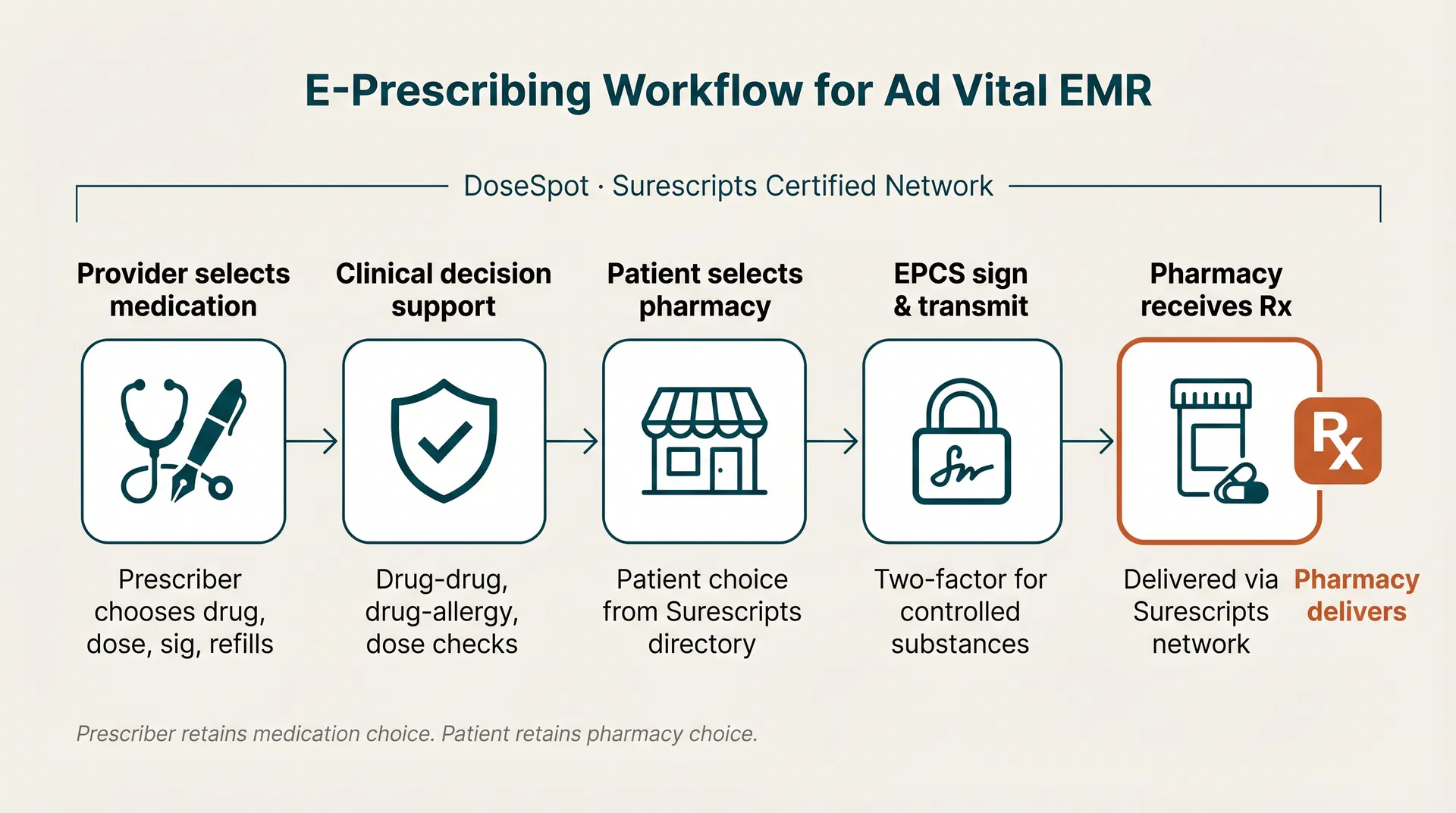
Provider initiates the prescription
From inside the patient chart, the prescriber opens 'New Prescription'. The chart's allergies, problem list, and current medications are loaded into context automatically. Ad Vital does not pre-select a medication.
Clinical decision support runs
DoseSpot performs drug-drug, drug-allergy, drug-condition, and dose checks against the patient's chart in real time. Conflicts are surfaced to the prescriber before signing.
Patient selects the pharmacy
The patient's preferred pharmacy is selected at the point of care from the full Surescripts pharmacy directory. The patient may name any in-network retail, mail-order, or compounding pharmacy.
Prescriber signs
The prescriber digitally signs the prescription. For non-controlled medications a single primary credential is required.
DoseSpot transmits over Surescripts
The signed prescription is transmitted from DoseSpot to the patient-selected pharmacy over the Surescripts network. Transmission status (queued, sent, received, error) is reflected back into the chart in real time.
Pharmacy dispenses
The patient-selected pharmacy receives the prescription and dispenses to the patient under its own pharmacy license. Refill requests come back into the chart and are reviewed and signed by the prescriber.
No steering. No promotion. No exceptions.
The prescriber chooses the medication. The patient chooses the pharmacy. Ad Vital does not promote drugs, does not maintain preferred pharmacies, does not receive payment from pharmacies or drug manufacturers, and does not modify a prescription after it is signed.
These commitments are described in our Terms & Conditions and Privacy Policy, and they are enforced by the platform — the user interface offers no field, no toggle, and no administrative override that would allow a prescription to be redirected away from the patient-selected pharmacy.